Leave the old register. Bring everything on it.
Switching POS without starting over: export products, customers, suppliers and stock from your old system, import them by CSV, and run one shift side by side. The import is free.
- Free data import
- Free remote setup session
- Keep most of your hardware
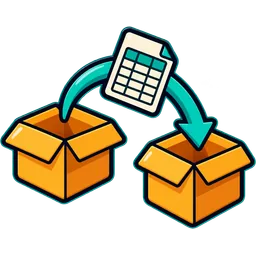
The switch, step by step
Under a week for most stores, with the old register on standby until you are sure.
- Week 0export
Export from your old register
Most registers and back-office systems export products to CSV or Excel. Export customers, suppliers and current stock too, if it can.
- Day 1send
Send us the files, or import them yourself
Upload the file in the import screen, or send it to the Store Desk. We map your columns (name, barcode, category, cost, price, stock) to ours.
- Day 1check
We check it before it goes in
Duplicate barcodes, missing prices, items without categories, cartons and packs mixed up. You get a short list of what to fix.
- Day 2flags
Set your age and lottery categories
Flag tobacco, vape, beer and wine for age prompts, and set up lottery games and bins (US). This is the part that is specific to a c-store.
- Day 3parallel
Run one shift side by side
Ring sales on the new POS while the old one stays on standby. Compare the shift report with what you expect.
- Day 4switch
Switch for good
Unplug the old register. Keep its last reports for your records; cancel its contract when your notice period allows.
What you can import
| Data | Columns we map |
|---|---|
| Products | Name, barcode (UPC/EAN), category, brand, cost, selling price, tax group, unit, alert level |
| Opening stock | Quantity per item per store, with lot and expiry if you track them |
| Customers | Name, phone, email, customer group, credit balance (for house accounts or udhaar) |
| Suppliers | Name, contact, payment terms, opening balance |
| Sales history | Optional: past sales for reports. Many stores start fresh. |
Switching from a specific system?
Switching questions
How do I switch POS systems without losing data?
Export products, customers, suppliers and stock from your old system as CSV or Excel, import them into the new POS, check the import report, set your c-store flags (age, lottery), then run one shift on both systems before you switch for good. Keep the old system's final reports for your records.

How much does switching cost?
Data import is free on every plan, and so is a one-hour remote setup session to check your printer, scanner and drawer. You only pay your plan once your trial ends.
My old register will not export. What now?
Many legacy registers can print or export a price book report even without a CSV button. Send us what it produces; we can often convert it. Otherwise, scanning items into the new POS with prices takes an afternoon for a typical c-store.
Will my barcodes still work?
Yes. Standard UPC and EAN barcodes are the same in any system. Your own in-store codes import as they are.
Can I keep my hardware?
Usually. Most USB and Bluetooth scanners, thermal receipt printers and printer-driven cash drawers work. See the hardware guide or ask us before you buy anything.
What about my card processing contract?
Your processor stays yours; the POS records card payments made through your terminal. If your old POS bundled processing, check that contract's notice and termination terms before you cancel.
What about my old system's contract?
Read its notice period and any early termination fee before you cancel. We do not buy out other vendors' contracts.
How long does the whole switch take?
Most stores go from export to live in under a week, with one shift run in parallel. The import itself takes minutes.
Can you do it in my language?
Yes. The setup call can be in English, Spanish, Arabic, Urdu, Hindi or Korean.
Send us your old price book
Book a migration call. We import it for free and walk you through your first test sale.